Philippines eSIM Guide: Stay Connected in Paradise
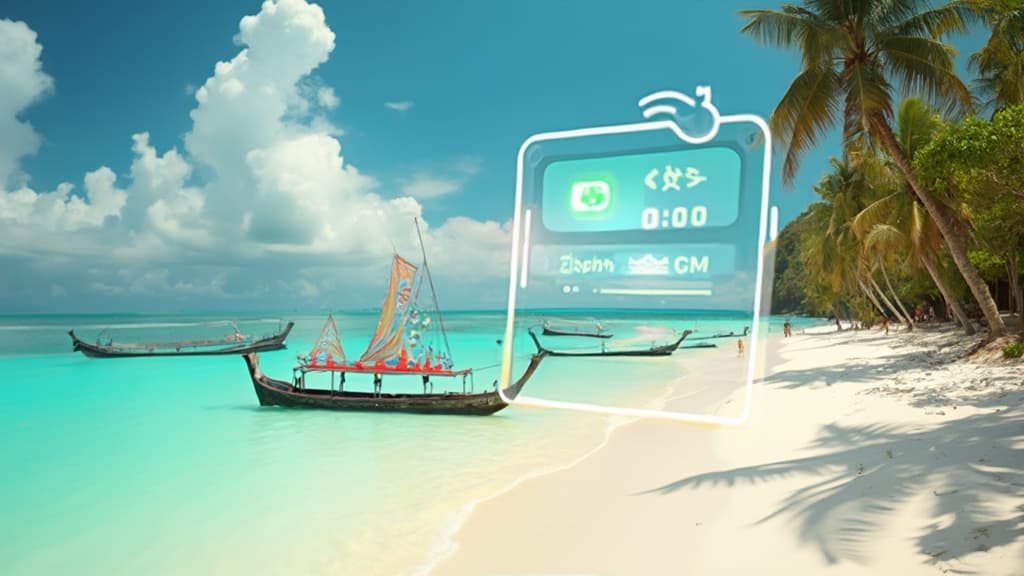
Philippines eSIM Guide: Stay Connected in Paradise
The Philippines is a dream destination for travelers - with over 7,641 islands, pristine beaches, vibrant cities, and some of the friendliest people you'll ever meet. But staying connected while island-hopping can be challenging without the right mobile plan. That's where eSIM comes in.
Why Use eSIM in the Philippines?
Skip the Airport SIM Card Hassle
Traditionally, travelers would queue at airport kiosks to buy physical SIM cards. With eSIM, you can:
- Activate before landing - Set up your data plan while still on the plane
- Keep your home number - Use your eSIM for data while maintaining your primary line for calls
- No physical cards to lose - Perfect for water activities and beach adventures
Perfect for Island Hopping
The Philippines' unique geography means you might visit multiple islands in one trip. eSIM works seamlessly as you move between:
- Luzon - Manila, Baguio, Vigan
- Visayas - Cebu, Bohol, Boracay
- Palawan - El Nido, Coron, Puerto Princesa
- Mindanao - Davao, Siargao
Network Coverage in the Philippines
The Philippines has three major networks:
| Network | 5G Coverage | Best For |
|---|---|---|
| Globe | Metro Manila, Cebu, major cities | Best overall coverage |
| Smart (PLDT) | Metro Manila, key urban areas | Reliable speeds |
| DITO | Expanding rapidly | Competitive pricing |
Coverage by Popular Destinations
Metro Manila - Excellent 4G/5G coverage from all providers. You'll have no issues staying connected in Makati, BGC, or anywhere in the metro.
Boracay - Strong coverage island-wide. Perfect for posting those White Beach sunset photos!
Palawan (El Nido/Coron) - Good coverage in town centers. Remote beaches and island tours may have limited signal.
Cebu & Bohol - Reliable coverage in urban areas and major tourist spots.
Siargao - Coverage has improved significantly. General Luna and Cloud 9 area have solid 4G.
How Much Data Do You Need?
| Trip Type | Recommended Data | Daily Usage |
|---|---|---|
| Light (maps, messaging) | 1-3 GB/week | 200-400 MB |
| Moderate (social media, video calls) | 5-7 GB/week | 700 MB-1 GB |
| Heavy (streaming, remote work) | 10+ GB/week | 1.5-2 GB |
Digital Nomad Tip
If you're working remotely from the Philippines, consider getting an unlimited data plan. Many cafes and co-working spaces in Manila, Cebu, and Siargao cater to digital nomads with reliable WiFi, but having a backup eSIM connection is essential.
Best Time to Visit the Philippines
- Dry Season (November-April) - Peak tourist season, perfect weather
- Shoulder Season (May, October) - Fewer crowds, occasional rain
- Wet Season (June-September) - Budget-friendly, but expect typhoons
Pro Tip: Regardless of when you visit, having an eSIM ensures you can check weather updates and travel advisories in real-time.
Setting Up Your eSIM for the Philippines
Before Your Trip
- Check device compatibility - Most iPhones (XS and later) and recent Android phones support eSIM
- Purchase your eSIM - Buy online before departure
- Install (don't activate) - Download the eSIM profile while on WiFi
Upon Arrival
- Enable mobile data - Turn on your eSIM data line
- Enable data roaming - Required for most travel eSIMs
- Test your connection - Make sure everything works before leaving the airport
Money-Saving Tips
- Download offline maps - Save data by downloading Google Maps offline for your destinations
- Use WiFi when available - Hotels, cafes, and malls have decent free WiFi
- Disable auto-updates - Prevent apps from eating your data in the background
- Compress photos before uploading - Instagram stories don't need 4K resolution!
Common Issues and Solutions
"No Service" After Landing
- Make sure airplane mode is OFF
- Enable data roaming in settings
- Restart your phone
- Check if eSIM is set as primary data line
Slow Speeds in Tourist Areas
- Networks can get congested in popular spots
- Try moving to a less crowded area
- Switch between 4G/5G modes
Coverage Issues on Remote Islands
- Download entertainment before boat trips
- Use offline translation apps
- Check coverage maps before planning remote adventures
Must-Have Apps for the Philippines
- Grab - Southeast Asia's super app for rides and food delivery
- GCash - Mobile wallet accepted almost everywhere
- Google Maps - Navigation (download offline maps!)
- Klook - Book tours and activities
- Weather Philippines - Track tropical weather
Final Thoughts
The Philippines offers an incredible travel experience, from the bustling streets of Manila to the crystal-clear waters of Palawan. With an eSIM, you'll stay connected throughout your journey, sharing those amazing moments with friends and family back home, navigating unfamiliar streets, and having peace of mind wherever your adventure takes you.
Ready to get connected? Browse our Philippines eSIM plans and start your island paradise adventure with seamless connectivity.
Safe travels and enjoy the Philippines! Mabuhay! 🇵🇭
Related Articles

Taiwan eSIM Guide: Stay Connected from Taipei to Kaohsiung in 2026
Everything you need to know about using an eSIM in Taiwan - coverage, setup, data needs, and practical tips for Taipei, Taichung, Tainan, and Kaohsiung.
Turkey eSIM Guide: Stay Connected from Istanbul to Cappadocia in 2026
Planning a trip to Turkey? Skip the SIM registration hassle and get connected instantly with an eSIM. From Istanbul's iconic skyline to Cappadocia's fairy chimneys, here's everything you need to know about staying online in Turkey.
Thailand eSIM Guide: Stay Connected from Bangkok to the Islands in 2026
Thailand has become one of the world's top destinations for travelers, digital nomads, and adventure seekers. From the bustling streets of Bangkok to the pristine beaches of Phuket and Koh Samui, staying connected is essential. This comprehensive guide covers everything you need to know about using eSIM in Thailand in 2026.