South Korea eSIM Guide: Stay Connected in the Land of K-Pop
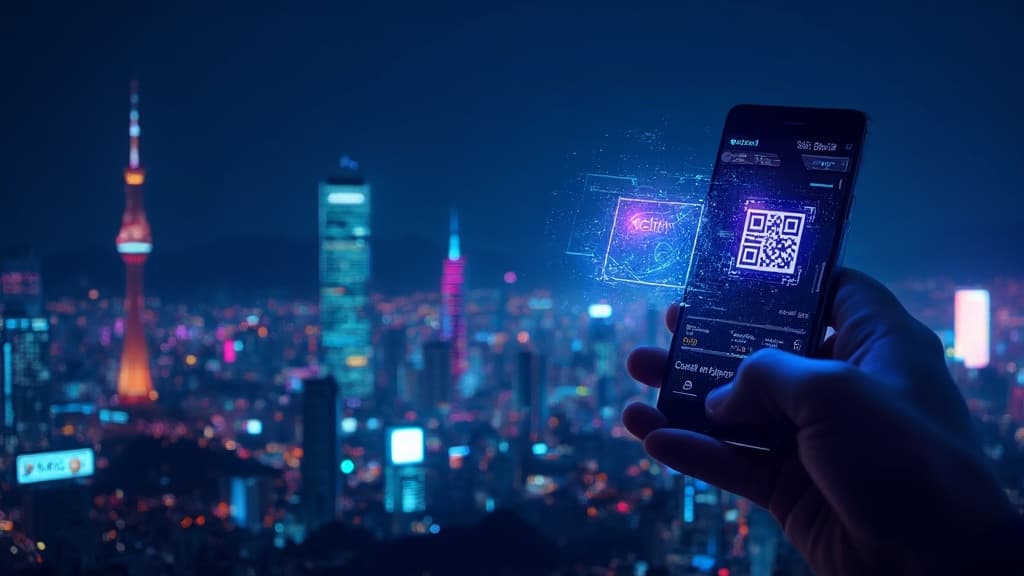
South Korea eSIM Guide: Stay Connected in the Land of K-Pop
South Korea is a tech paradise. From the neon-lit streets of Seoul to the stunning beaches of Busan, you'll want to stay connected to navigate, translate, and share your experiences. Here's everything you need to know about using an eSIM in South Korea.
Why Choose an eSIM for South Korea?
South Korea has one of the world's fastest mobile networks, with widespread 5G coverage in major cities. An eSIM lets you tap into this incredible infrastructure the moment you land:
- Instant activation - Set up before your flight and connect immediately at Incheon Airport
- No language barrier - Skip the hassle of buying a physical SIM at convenience stores
- Keep your number - Use your eSIM for data while keeping your home SIM for calls
- Flexible plans - Choose from 3-day quick trips to 30-day extended stays
Coverage and Network Quality
South Korea's mobile infrastructure is exceptional:
- Seoul: Blazing fast 5G throughout the city, including subway stations
- Busan: Excellent 4G/5G coverage in urban areas and beaches
- Jeju Island: Reliable coverage across the island's tourist spots
- Rural areas: Good 4G coverage, some remote mountain trails may have limited signal
Most eSIM providers in Korea connect to the three major carriers: SK Telecom, KT, and LG U+. All three offer excellent coverage nationwide.
Recommended Data Plans
For Short Trips (3-7 Days)
- Light users: 3GB should cover maps, messaging, and basic browsing
- Moderate users: 5-7GB for social media, occasional video calls
- Heavy users: 10GB+ or unlimited for streaming and hotspot use
For Extended Stays (2-4 Weeks)
- Consider unlimited data plans - Korea's fast speeds make streaming tempting
- Look for plans with hotspot/tethering if you travel with a laptop
How to Set Up Your eSIM for Korea
Before You Travel
- Purchase your eSIM plan online
- Scan the QR code to download the eSIM profile
- Label it (e.g., "Korea Trip")
- Keep it disabled until you arrive
Upon Arrival
- Enable your Korea eSIM in Settings
- Set it as your primary data line
- Disable data roaming on your home SIM to avoid charges
- Enjoy instant connectivity!
Essential Apps for Korea Travel
With your eSIM connected, download these must-have apps:
- Naver Map - Better than Google Maps for Korea navigation
- Papago - Excellent Korean-English translator by Naver
- KakaoTalk - Korea's #1 messaging app (everyone uses it)
- Kakao T - For booking taxis
- Subway Korea - Navigate Seoul's extensive metro system
Tips for Data Usage in Korea
Streaming K-Content
With Korea's fast networks, you might be tempted to stream constantly. If you have a limited data plan:
- Download Netflix/Disney+ content over WiFi at your hotel
- Most cafes offer free WiFi (look for "WiFi" or "와이파이" signs)
- T-money convenience stores often have free WiFi
Using T-money Card
Your phone with eSIM can work alongside transportation apps, but you'll still want a physical T-money card for subway and bus rides - it's faster and works offline.
Free WiFi Spots
- Major subway stations have "Seoul WiFi"
- Most cafes, restaurants, and convenience stores offer free WiFi
- Hotels almost always have reliable free WiFi
Common Questions
Can I use my eSIM for calls in Korea?
Most travel eSIMs are data-only. Use apps like KakaoTalk, WhatsApp, or Skype for calls over data.
Will my eSIM work on the subway?
Yes! Seoul's subway has excellent cell coverage, including in tunnels. You can stream and browse underground.
Do I need a VPN in South Korea?
No. South Korea has open internet access with no restrictions on major services like Google, Instagram, or YouTube.
What about North Korea border areas?
The DMZ tour areas have good coverage. The restricted zones obviously have no civilian network access.
Best Time to Visit Korea
- Spring (April-May): Cherry blossoms, pleasant weather
- Fall (September-November): Stunning foliage, comfortable temperatures
- Winter (December-February): Ski season, fewer tourists, cold but beautiful
- Summer (June-August): Monsoon season, hot and humid but great for festivals
Final Thoughts
South Korea is one of the easiest countries to stay connected with an eSIM. The combination of world-class network infrastructure, widespread WiFi, and tech-friendly culture makes it a digital nomad's dream. Whether you're exploring ancient palaces, hunting for the best Korean BBQ, or catching a K-pop concert, your eSIM will keep you connected every step of the way.
Ready to explore Korea? Get your eSIM activated before your flight and hit the ground running at Incheon Airport. Your Instagram followers are waiting for those Seoul skyline shots! 🇰🇷
Related Articles
How to Activate eSIM on iPhone: Complete Setup Guide for 2026
Learn how to activate eSIM on iPhone in minutes. This 2026 guide covers compatibility, setup steps, troubleshooting, and travel tips for using eSIM abroad.
Singapore eSIM Guide 2026: Best Plans, Coverage, and Setup Tips for Travelers
Planning a trip to Singapore? This 2026 Singapore eSIM guide covers the best data plans, local network coverage, setup steps, and practical roaming tips for tourists and digital nomads.
Taiwan eSIM Guide: Stay Connected from Taipei to Kaohsiung in 2026
Everything you need to know about using an eSIM in Taiwan - coverage, setup, data needs, and practical tips for Taipei, Taichung, Tainan, and Kaohsiung.